

Introduction
Have you ever tried to log into a health portal and felt like you needed a map just to find your own lab results? You are not alone. For military members, veterans, and their families, the mhs genesis patient portal can feel overwhelming at first. But here is the good news. Once you understand how it works, this secure online tool gives you 24/7 access to your health information right from your home or phone.
The mhs genesis patient portal lets you do things like view your medical records, exchange secure messages with your care team, and even request prescription refills. It is designed to put you in control of your own care.
Why does that matter so much? Because when you are managing something as personal as depression, having easy access to your health records empowers you to take charge of your treatment. You can track appointments, review notes from your doctor, and stay connected without playing phone tag.
Whether you are active duty, a veteran, or a family member, this guide walks you through clear, actionable steps to set up and use the mhs genesis patient portal with confidence. You do not need to be a tech expert. You just need a little direction.

If you are unsure whether what you are feeling might be depression, Explore Symptoms first. Understanding the warning signs is the first step toward getting the right support. Let us make this journey simpler together.
What Is the MHS GENESIS Patient Portal?
Picture this. Before MHS GENESIS went live, military hospitals and clinics ran on a patchwork of old computer systems that did not talk to each other. If you saw a doctor at one base, your records might not show up at your next duty station for weeks. It was frustrating for patients and providers alike.
That is why the Department of Defense built the mhs genesis patient portal. It is the heart of a brand new electronic health record system that replaced all those outdated legacy systems. Think of it as a single, modern home for your entire military health record.
According to the official MHS GENESIS patient portal FAQ, this secure online tool gives you direct access to your personal health information from any device with an internet connection. You can:
- View your lab results and test reports
- See your list of current medications
- Read notes from your doctor visits
- Request prescription renewals
- Send and receive secure messages with your care team
This last feature is huge. Instead of playing phone tag with a nurse or waiting on hold, you can send a private message right through the portal. Your provider responds when they are available, and the whole conversation stays in your record.
The mhs genesis patient portal works across military treatment facilities, or MTFs, all over the world. So whether you are stationed in Japan, Germany, or Texas, your health information follows you. The MHS GENESIS electronic health record page explains that it connects patients with their care team no matter where they are located within the military health system.
For anyone managing a condition like depression, this continuity matters. Your therapist, primary care doctor, and psychiatrist can all see the same notes and treatment plans. You do not have to repeat your story every time you see a new provider.
If you want to see the portal in action before logging in yourself, the MHS GENESIS patient portal tutorials page offers step-by-step walkthroughs for the most common features.
And if you are still unsure whether what you are feeling could be depression, take a moment to Explore Symptoms first. Recognizing the signs is the first step toward getting the right support through tools like the patient portal.
How to Create Your MHS GENESIS Patient Portal Account
Now that you know what the mhs genesis patient portal can do, you are probably ready to log in and start using it.
The good news is that getting access is free for all eligible beneficiaries. The process itself is designed to be very secure so your private health information stays protected.
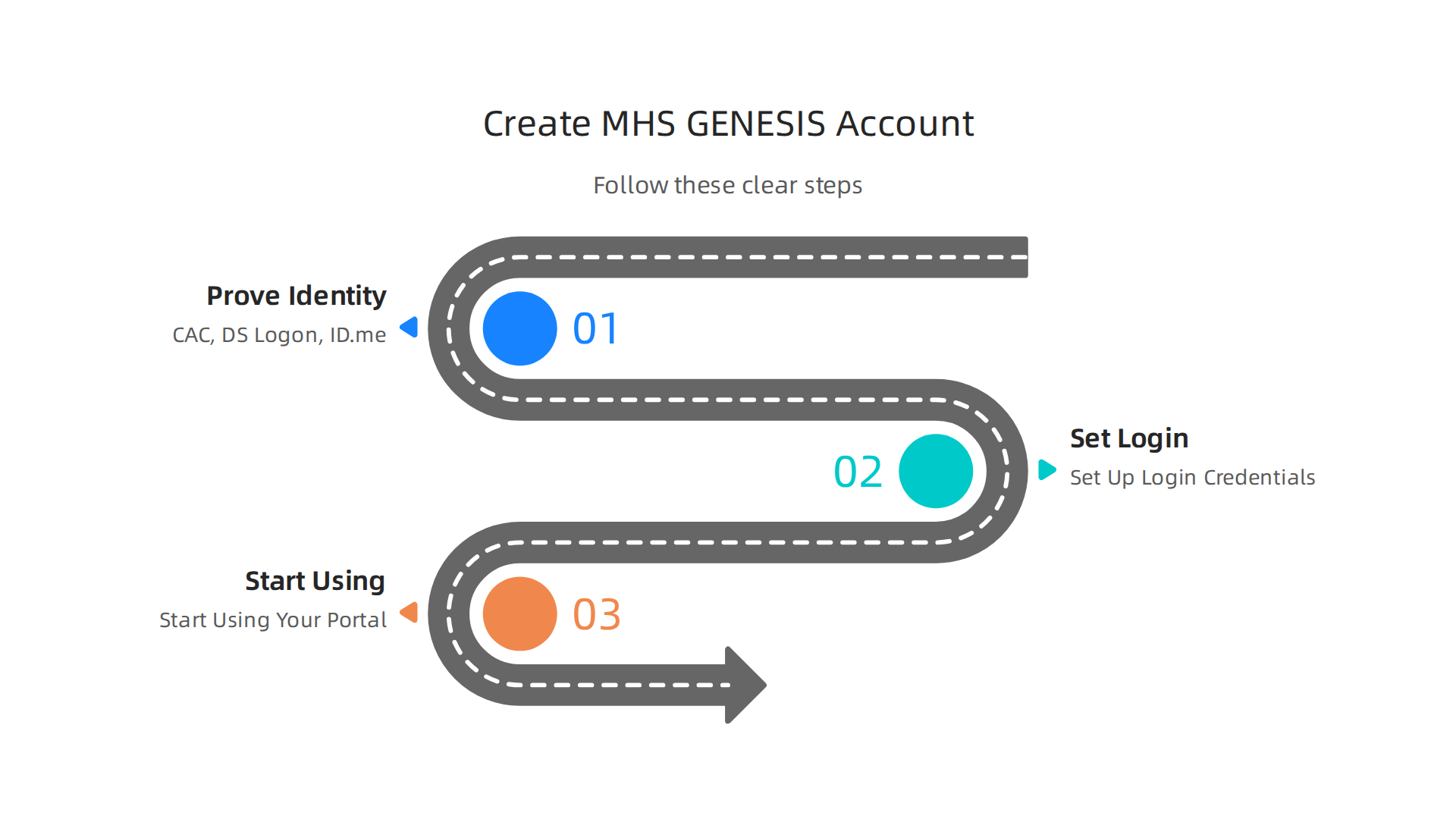
Step 1: Prove Who You Are
To create an account, you need to prove your identity. This is called identity proofing. This step is required so that no one else can access your medical records.
You have a few different options to do this:
- Common Access Card (CAC): This is the fastest option if you are active duty or a DoD civilian. Just insert your CAC into your card reader and follow the on-screen prompts.
- DS Logon: If you are a retiree, family member, or contractor, you might already have a DS Logon. You can upgrade it to a Premium level right through the official DS Logon site. This lets you access the portal right away.
- ID.me: This is another secure way to verify your identity. You can use your smartphone or a computer with a camera. You will upload a photo of your ID and take a quick selfie. The whole process usually takes just a few minutes.
Step 2: Set Up Your Login Credentials
Once the system approves your identity, you can create your own username and password. After that, you are in.
You can start exploring the dashboard, sending secure messages, and checking your lab results. If you feel unsure about the steps, the MHS GENESIS patient portal tutorials page has short walkthroughs that show you exactly what to click.
Step 3: Start Using Your Portal
Having this access is a game changer, especially if you are managing your mental health. You can keep an eye on your mood and communicate with your care team easily.
If you are feeling hesitant or just want to confirm what you are experiencing, it is okay to start slowly. You can Explore Symptoms to learn more before reaching out to a provider. The portal is a great tool, but recognizing your own needs is the first and most important step.
Logging In and Navigating the Dashboard
Once your account is set up, logging in is simple. Go to the official MHS GENESIS Patient Portal page and sign in with your DS Logon, CAC, or ID.me credentials. The system may ask for a one-time code sent to your phone or email. This is called multifactor authentication, and it keeps your private health data safe. This extra step only takes a few seconds.
After you log in, the dashboard is your main screen. You will see a clean summary of your recent visits, unread messages from your care team, and quick links to the most common tasks.

From here, you can book appointments, request prescription refills, or view your lab results. The portal gives you 24/7 access to your health record so you can stay on top of your care.
Take a few minutes to click through the different tabs. Look for sections labeled "Health Record," "Appointments," and "Messages." Getting familiar with the layout right away will save you time later.
As you get comfortable using the MHS GENESIS patient portal for your physical health, do not forget to check in on your mental health too. If you are feeling low or unsure about your mood, it helps to start with clear information. You can Explore Symptoms right here to learn what might be happening and how to take the next step.
Troubleshooting Login Errors
Let’s be honest, getting locked out of the mhs genesis patient portal can be really frustrating. You just want to check your lab results or message your doctor, but the system does not cooperate. The good news is that most login problems are simple to fix on your own.
Common login problems and quick fixes
Here are the most common errors you might run into and what to do about them.
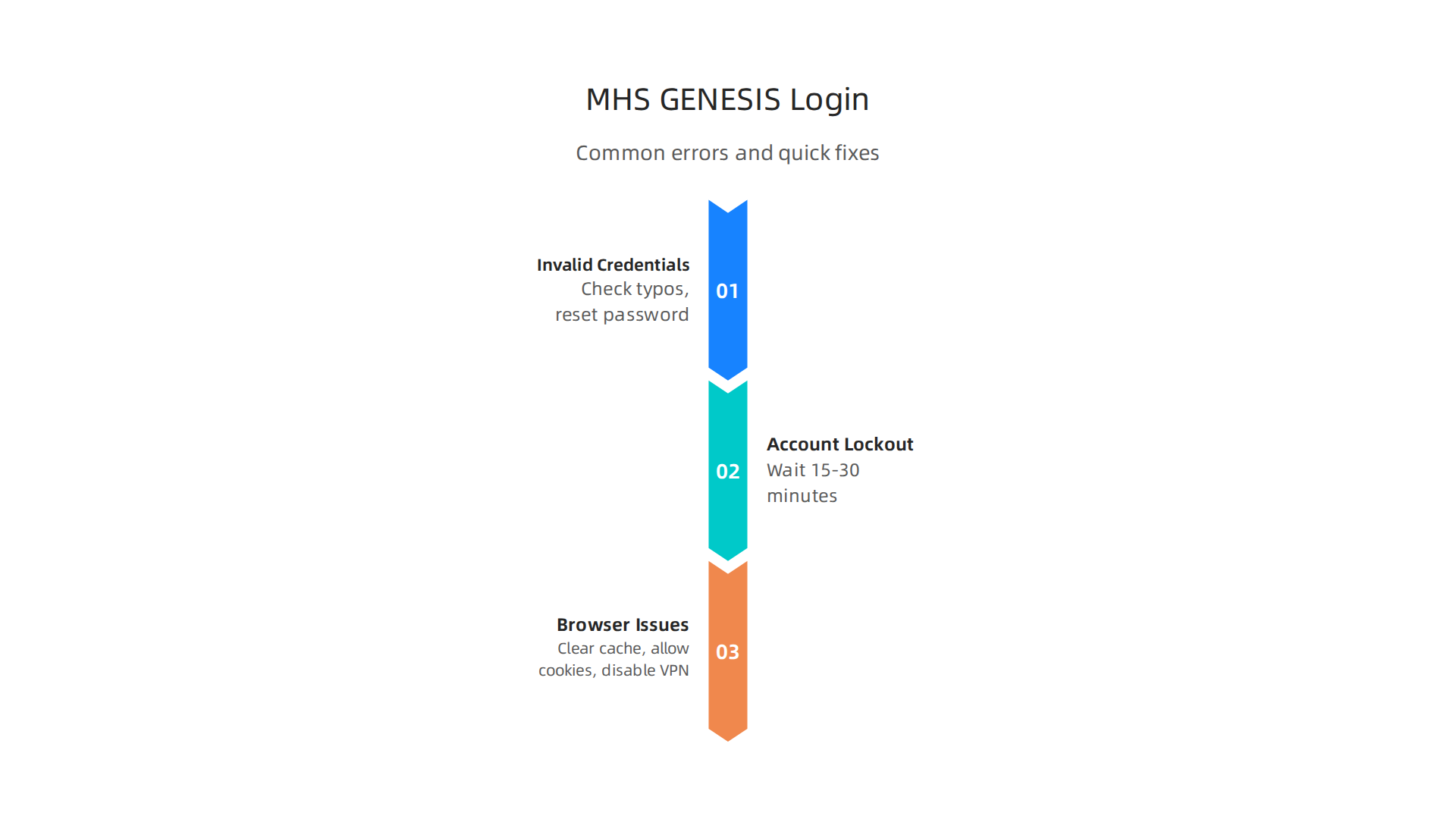
Invalid credentials. This is the most frequent issue. Double check your username and password for typos. Your password is case sensitive, so Caps Lock can cause trouble. If you are using a DS Logon, make sure it is still active. You can reset your password through the "Forgot Password" link on the portal login page.
Account lockout. After several failed login attempts, the system locks your account for safety. This only lasts about 15 to 30 minutes. Wait a bit before trying again. Using the wrong credentials repeatedly will only extend the lockout.
Browser issues. Sometimes the problem is on your end. An old browser cache or outdated cookies can stop the portal from loading. Start with these steps:
- Clear your browsing history and cache.
- Make sure cookies are allowed in your browser settings.
- Try using private or incognito mode.
- Temporarily turn off your VPN, as it can interfere with the secure connection.
These tips come from the What to do when you can’t login to your Patient Portal guide, which covers standard browser settings.
When you still cannot get in
If you have tried all the quick fixes and still cannot log into the mhs genesis patient portal, it might be a system issue. First, check the TRICARE Patient Portal Outages page to see if there is scheduled maintenance or a known problem.
For support with the MHS GENESIS Patient Portal, the official guidance from Health.mil says to contact the Defense Manpower Data Center web support. You can also call your local Military Treatment Facility’s medical records department. They can help you with account issues directly. There is even a helpful Technical Support for MHS GENESIS video from TRICARE that walks you through the process.
Dealing with login stress can add to your daily load. If you are feeling overwhelmed by it all, take a moment to Explore Symptoms of low mood and see what simple steps might help you feel better.
Navigating the Dashboard and Key Tabs
Once you are logged into the mhs genesis patient portal, take a deep breath. You are in. The dashboard is your starting point for managing your care. It works differently from a standard united healthcare provider portal because it is built around your specific military benefits.
Your main navigation tabs
Across the top of the screen, you will see the core sections: Health Records, Appointments, Medications, Messages, and Documents. The official Secure Patient Portal page on TRICARE.mil explains that these tabs give you a direct view into your medical and dental records. Instead of a generic patient gateway, this one puts your TRICARE data front and center.
Use the search bar for quick finds
Need a lab result from a few months ago? Just type it into the search bar. This tool helps you skip the clicking around and find exactly what you need in seconds. It saves time and cuts down on frustration.
Make the dashboard your own
You can pin the tabs you use most. If you send a lot of messages to your care team, pin ‘Messages’. Customizing your view keeps your most important tools right in front of you.
A clean, organized screen can help reduce mental clutter. But if managing appointments, refills, and health records still feels heavy, it can affect your mood. That sense of overwhelm is real. Check out Dean Grey’s research on how digital systems impact your sense of control and well being.
Viewing and Downloading Your Health Records
Now that you know your way around the dashboard, let’s get to the real reason you logged in. You need to see your health records. The mhs genesis patient portal puts everything in one place. No more calling around or waiting for paper copies.
What you can access
Inside the portal, you can view your health summary, lab results, immunization records, and clinical notes from your visits. The official MHS GENESIS page on DHA.mil explains that you have 24/7 access to your current medical and dental records. That means you can check your latest blood work before your next appointment or pull up your vaccine history for school forms.
The system works differently from a typical united healthcare provider portal. Because it is designed for TRICARE beneficiaries, it pulls data from military treatment facilities and clinics. So your records are meant to be complete across the whole network.
Downloading your records
You have two main options for saving your records. You can download them as a PDF file, which is simple and prints nicely. You can also download them in the C-CDA format. That stands for Continuity of Care Document Architecture. It is the standard format that most healthcare systems use to share data. If you see a civilian doctor outside the military system, the C-CDA file helps them import your information into their own system.
The Madigan Army Medical Center MHS GENESIS page confirms that you can view and download your health data directly from the portal. So you are never stuck without your records when you need them.
A quick heads up about timing
Here is the thing. Some documents may take a little while to show up after a visit. Your doctor might need to enter the notes, and lab results can take a few days to process. If you do not see something right away, check back later. The system is not broken. It just has a small delay.
Managing your health records can feel like one more task on a long list. If the weight of appointments, results, and paperwork is dragging you down, it can affect your mood. That is a real thing. Explore Symptoms on our blog to learn how health stress and low mood can connect, and what you can do about it.
Managing Appointments, Medications, and Secure Messaging
Now that you know how to view your records, let’s go a step further. The mhs genesis patient portal also lets you take action. You can manage your care without phone tag or waiting for callbacks.
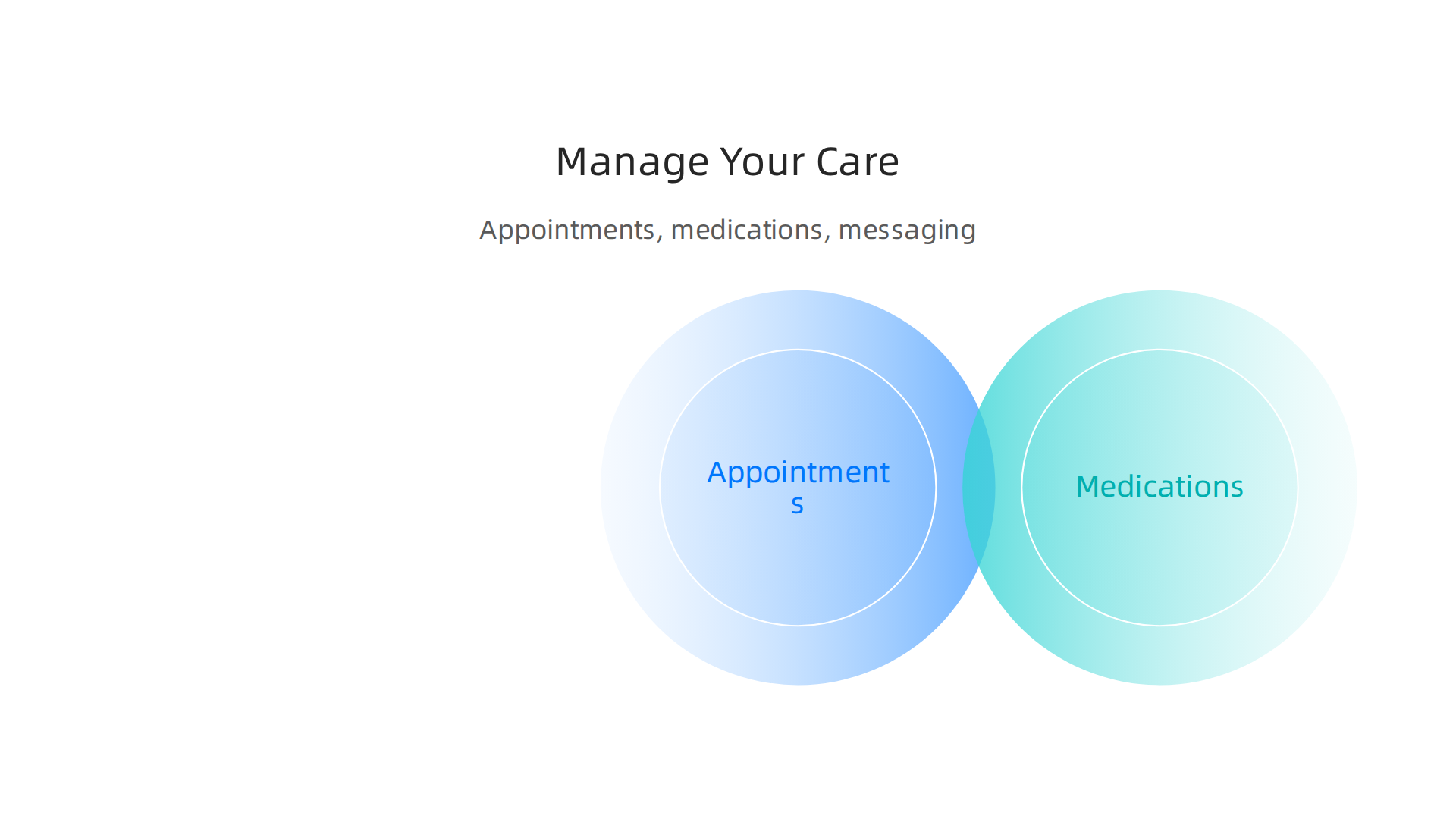
1. Appointments
You can schedule a new visit, change the time, or cancel one you no longer need. The portal shows you the open slots at your military clinic or hospital. The Madigan Army Medical Center page confirms you can book or cancel appointments right from the portal. No need to call the front desk like you might have to with a standard united healthcare provider portal.
2. Medications
Need a refill? You can handle it here. The portal lists your current medications and the doctor who prescribed them. You can request refills and renewals in just a few clicks. The MHS GENESIS FAQ on Health.mil notes that requesting medication renewals is a standard feature. It beats digging for a paper prescription.
3. Secure Messaging
This is a big time saver. Instead of playing phone tag, you can send a private message to your care team. Use it for non-urgent questions. Ask about a lab result. Check on a referral. The TRICARE Secure Patient Portal page highlights secure messaging as a core way to connect with your team. Just remember, if it is an emergency, call 911 instead.
This kind of patient gateway puts the power in your hands. But staying on top of appointments and meds can still feel like a lot. It is okay if managing your health stress is hard on your mood. You do not have to handle it alone. If you feel weighed down, it helps to talk it through. Explore Symptoms on our blog to understand how stress and low mood connect, and find clear steps to feel better.
Security, Privacy, and Your Health Information
It feels good to manage your care online. But is your data safe? The answer is yes. The mhs genesis patient portal goes beyond what a standard united healthcare provider portal offers. It uses strong security and follows strict laws to protect you.
1. Strong Data Protection
The portal encrypts your data so others cannot read it. It keeps an activity log of who views your records. It also uses multifactor authentication. That means you need more than a password to log in. This blocks outsiders from your private health information.
2. Legal Protections
Your data is shielded by law. The portal follows the HIPAA Privacy Rule and strict DoD privacy regulations. These rules limit how your personal health information (PHI) can be used or shared. As the HIPAA Compliance page explains, these rules are designed to safeguard your PHI.
3. Your Control Over Sensitive Info
Some records are extra private. This includes mental health notes or substance use history. This kind of patient gateway lets you set consent preferences for sharing this information. You choose what gets shared and with whom. You stay in charge.
Feeling the weight of managing your health? It is common to feel stress or low mood when handling a long-term condition. Behavioral Scientist Dean Grey explores how modern systems affect personal agency. Learning about this link can help you feel more balanced.
Privacy Protections for Mental Health Records
Some health information feels extra personal. Notes from a therapy session or a mental health diagnosis should stay private. The mhs genesis patient portal follows special rules to keep these records safe.
1. Extra Consent for Sensitive Notes
Your mental health notes are not shared the same way as a regular doctor visit note. The HIPAA Privacy Rule says these notes often need your separate approval before anyone can see them. This rule limits how your personal health information can be used. The official HIPAA Compliance page explains that your PHI is guarded by law. So your therapy or counseling notes stay protected unless you say it is okay.
2. You Choose Who Sees What
Inside the portal, you can limit access to sensitive records. You decide if certain mental health notes are visible to each provider in your care team. This kind of patient gateway gives you real control. You are not forced to share everything. You pick what feels safe.
3. Providers Follow Strict Rules
Your care team also follows strict protocols. They cannot peek into your mental health records unless it is needed for your treatment. And even then, they need your permission. This system protects your privacy from the inside out.
If you are noticing signs of depression or anxiety, it helps to get clear information first. Explore Symptoms to understand what you might be feeling and what to do next.
Troubleshooting Common Access and Technical Issues
You are ready to use the mhs genesis patient portal. You have your password. You have your DS Logon. But then you get an error. Or the page freezes. Or nothing happens at all. This happens to a lot of people. The good news is most problems have simple fixes.
1. Start with the Basics
First, check your browser. The portal works best with current versions of Chrome, Firefox, or Edge. If you are using an old browser, that could be the issue. Also, make sure cookies are turned on. The MHS GENESIS Patient Portal help page confirms that browser settings often cause login trouble.
Clearing your browsing history and cache can also help. Old data can get stuck and block new logins. If you use a VPN, try turning it off temporarily. Some VPNs interfere with the secure connection. These steps come straight from common troubleshooting advice for patient portals like this one.
2. DS Logon and CAC Reader Problems
DS Logon is a common access point. But sometimes it refuses to work. If your DS Logon fails, try resetting your password on the official site. Also, make sure you are using the right username. It is easy to mix up accounts if you also use a united healthcare provider portal or another patient gateway for different health systems.
For those using a Common Access Card (CAC), the reader software can be picky. You might need to update your Java or install the proper middleware. The TRICARE technical support team offers guidance on this. The technical support video walks you through the steps. Sometimes just restarting your computer after installing updates fixes everything.
3. Portal Outages and Scheduled Maintenance
Sometimes the problem is not on your end. The mhs genesis patient portal goes down for scheduled maintenance or unexpected outages. You can check the TRICARE outage page to see if the system is down. If it is, you just have to wait. Most maintenance happens late at night or early in the morning.
4. When Self-Help Is Not Enough
If you tried everything and still cannot get in, contact the MHS GENESIS help desk. The MHS GENESIS Patient Portal FAQ lists the official support numbers. You can also visit your local military treatment facility for in-person help.
Dealing with login problems can be frustrating. It can even make you feel more stressed or hopeless if you are already struggling with low mood. That is normal. Dean Grey’s research shows that digital barriers can wear down your sense of control. If you are feeling overwhelmed, take a break and come back to it later.
Remember, this portal is a tool. It should help you, not stress you out. If you notice your mood dropping because of these technical hurdles, it might be time to check in with yourself. Explore Symptoms to learn more about what you are feeling and how to take the next step.
When to Contact Your Facility’s Medical Records Office
Sometimes the mhs genesis patient portal cannot fix everything. If you still cannot log in after trying all the troubleshooting steps, or if you need records that are not available online, it is time to call your local military treatment facility’s medical records office.
The records office can help with things the help desk cannot. They can unlock accounts that are stuck, correct errors in your data, and help you fill out release of information forms. The MHS GENESIS Patient Portal FAQ lists the official contacts so you know who to call.
A simple way to avoid problems is to keep your DEERS information up to date. If your address, phone number, or other details are old, the system may not recognize you. Check your DEERS record before you call anyone.
Dealing with portal issues can be draining. If you feel your mood slipping because of these barriers, that is understandable. Take a moment to check in with yourself. Explore Symptoms to get a clearer picture of what you are feeling and find your next step.
Summary
This article is a practical guide to the MHS GENESIS patient portal for military members, veterans, and family members, showing how to set up, sign in, and use the portal to manage health care. It explains who is eligible and walks through identity proofing options (CAC, DS Logon, ID.me), creating login credentials, and navigating the dashboard to view labs, notes, medications, and appointments. You’ll learn quick fixes for common login and browser problems, how to download records (PDF or C-CDA), and when to check for outages or contact support and your local medical records office. The guide also covers privacy safeguards and extra consent rules for mental health records so you can control who sees sensitive notes. By reading this, you’ll be able to access your medical information confidently, handle routine tasks online, and know where to turn if something goes wrong.