


Introduction
If you are a military service member, veteran, or family member covered by TRICARE, keeping up with your medical records, appointments, and medications can feel like a full-time job. Between busy schedules and frequent moves, staying on top of your health takes real effort.
That is where the MHS GENESIS patient portal comes in. This secure online tool gives you one central place to manage your health care at military hospitals and clinics. You can view lab results, book appointments, request prescription refills, and send secure messages to your care team. The Defense Health Agency designed it to serve more than 9.6 million beneficiaries across the Department of Defense, and it is now fully deployed at military treatment facilities worldwide.
For anyone managing a chronic condition like depression, having easy access to your health records makes a real difference. You can track your medications, review test results, and read clinical notes from your provider visits all in one place. This kind of access helps you stay informed and take an active role in your care. The patient gateway gives you control whether you are at home, on base, or deployed.
This guide walks you through the MHS GENESIS patient portal step by step. You will learn how to log in, navigate the main features, and get the most out of your health records. We also include expert tips to help you use the portal more effectively.
Feeling emotionally drained from managing your health on your own? You do not have to carry that weight alone.

Check out Feeling Emotionally Drained? for support that goes beyond just checking your lab results.
The MHS GENESIS system works alongside other health platforms you may already use, like a united healthcare provider portal or ambetter health account. But this portal is built specifically for the military health system. That means your records follow you wherever you serve.
We cover everything from your first login to managing your mental health care through the portal. Let us get started.
What Is the MHS GENESIS Patient Portal?
The MHS GENESIS patient portal is the secure online home for your military health records. It is part of a bigger system called MHS GENESIS, which stands for the Military Health System’s new electronic health record. The Department of Defense built it to replace older systems that did not share information with each other. Before MHS GENESIS, different branches of the military used different record systems. Your Army clinic could not always access your records from a Navy hospital. That made things harder for you and your care team.
Now everything is in one place. The patient gateway gives you a personal dashboard that works on your phone, tablet, or computer. You can see your full medical history, medications, allergies, and immunization records. You can also book appointments, cancel visits, request prescription refills, and send private messages to your doctor or nurse. No more waiting on hold or filling out the same forms every time you visit a new clinic.
According to the TRICARE newsroom, this secure tool lets you manage your health care at military hospitals and clinics from home or on the go.
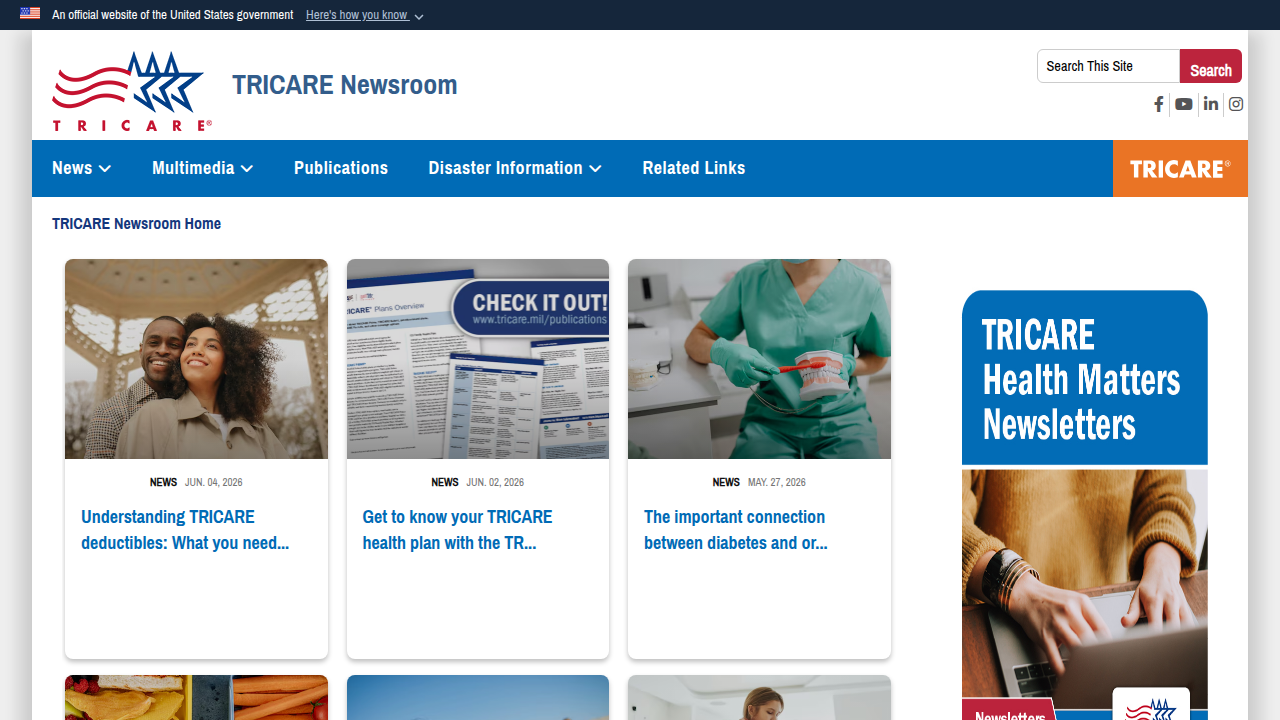
It is built to make life easier for the more than 9.6 million beneficiaries who use the military health system.
For someone managing depression or another ongoing mental health condition, this kind of access is powerful. You can review your treatment plan, check when your last therapy session was, and see lab results the moment they are ready. You do not have to wait for a letter or a phone call. That can reduce the anxiety that comes with not knowing what is going on with your health.
If you want step-by-step help logging in and setting up your account, our guide on how to log in and manage your health records covers everything from creating your username to navigating your first visit.
The MHS GENESIS patient portal is now fully deployed at military treatment facilities worldwide. Whether you are stationed in the United States, Europe, or the Pacific, your records follow you. That peace of mind is exactly what you need when you are already dealing with the stress of depression or other health challenges.

Understanding what the portal can do is the first step toward feeling more in control. Next, we walk through how to log in and get started.
How to Log In to MHS GENESIS: Step‑by‑Step Instructions
Getting into the MHS GENESIS patient portal is straightforward once you know which login method works for you. The system offers three main ways to sign in.
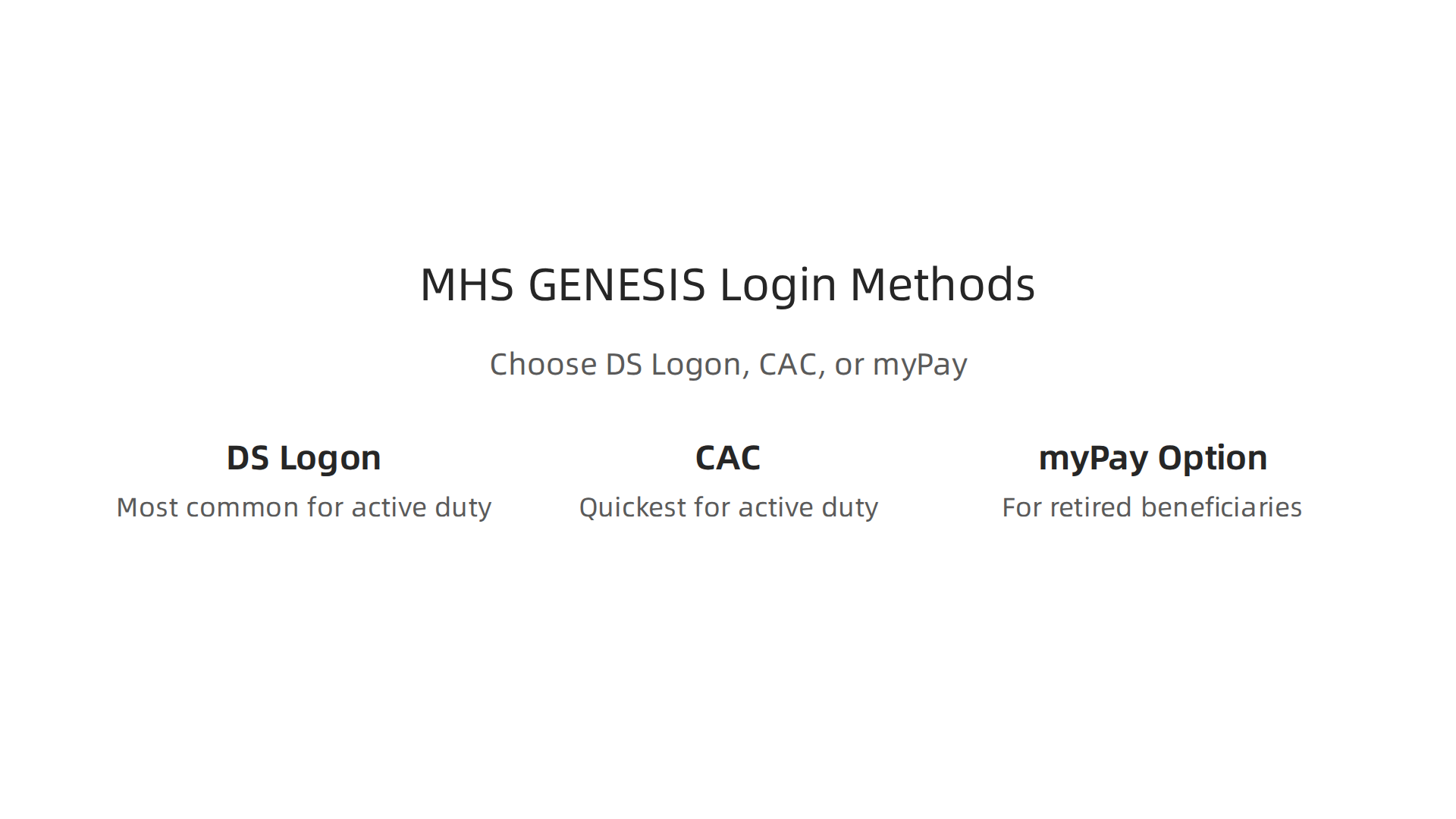
Your choice depends on whether you are a service member, a family member, or a retiree. Let us walk through each option so you can pick the right one and get started.
Option 1: DS Logon (Premium Account)
DS Logon is the most common way to access the MHS GENESIS patient portal. It works for active duty members, retirees, and family members alike. You need a Premium account, not just a basic one. If you already use DS Logon for other military websites, your existing account may work. If not, you can upgrade your account online or visit a nearby ID card office to verify your identity in person.
Once you have your Premium DS Logon credentials, go to the portal login page, enter your username and password, and complete the multi-factor authentication step. This usually means entering a code sent to your phone or email. The official TRICARE newsroom has a helpful guide on how to access your MHS GENESIS patient portal if you want to see the full process laid out clearly.
Option 2: Common Access Card (CAC)
If you are an active duty service member or a Department of Defense civilian, your CAC is your quickest ticket into the portal. You insert the card into a reader, enter your PIN, and the system verifies your identity instantly. No extra passwords to remember. This method only works on a desktop or laptop computer with a card reader installed. If you are at a military clinic or hospital, they usually have computers set up for this.
Option 3: myPay Option for Certain Users
Some beneficiaries who receive military retired pay or survivor benefits can use their myPay credentials to log in. This option is less common but useful if you already manage your pay online and do not have a DS Logon Premium account set up yet. The portal will redirect you to the myPay login screen, and after authentication, you land back in your patient dashboard.
Desktop vs. Mobile Login
On a desktop computer, you can use any of the three methods above. On a mobile device, DS Logon is the most reliable choice. The MHS GENESIS patient portal works through your phone’s browser, so you do not need to download a separate app. Just open your browser, go to the portal address, and sign in with your DS Logon Premium credentials. The mobile experience is nearly identical to the desktop version. You can book appointments, message your doctor, and view lab results right from your phone.
Troubleshooting Common Login Errors
Sometimes things do not go smoothly. Here are the most common issues and how to fix them.
Expired credentials. Your DS Logon password expires every 180 days. If you cannot log in, try resetting your password first. The same applies if your CAC has passed its expiration date. Visit your nearest ID card office to get a new one.
Browser compatibility. The portal works best on current versions of Chrome, Firefox, Safari, or Edge. If the page looks broken or does not load, try clearing your browser cache or switching to a different browser.
Multi-factor authentication problems. If you are not receiving the verification code, check that your phone number and email are up to date in your DS Logon profile. You can update them at the DS Logon website before trying again.
Forgotten username or password. Use the "Forgot Username" or "Forgot Password" links on the login page. The system will ask you security questions or send a reset link to your email on file.
If you run into technical issues you cannot solve on your own, the Defense Health Agency has a detailed troubleshooting page for the MHS GENESIS patient portal that includes a support phone number for direct help.
A Word on Security
Scammers sometimes create fake login pages that look like the real portal. Always double-check the web address before typing your credentials. The official site address ends in .mil, not .com or .org. The Defense Health Agency has been warning about MHS GENESIS scam sites and how you can protect your health information. Never click a login link from an unexpected email or text message. Bookmark the official portal address in your browser and use that bookmark every time.
Once you are logged in, you can start managing your health records right away. If you also use other online health tools, you might find it helpful to compare how the trinity health patient portal login process works for managing depression with your online account. Learning how different portals operate can make your overall health management smoother.
The log in process takes only a few minutes once you have your credentials ready. If the stress of managing your health records feels overwhelming, remember that this portal exists to make your life easier, not harder. Feeling emotionally drained? The pressure may not be only personal.
Key Features: Managing Appointments, Medications, and Secure Messaging
Once you are logged into the MHS GENESIS patient portal, the real value begins. The portal puts three powerful tools right at your fingertips: appointment management, medication tracking, and secure messaging with your care team.

These features help you stay on top of your health without endless phone calls or paper forms.
Appointments: Book, View, and Get Reminders
The portal shows you all your upcoming and past visits in one clear view. You can schedule new appointments directly, choose a time that works for you, and receive automatic reminders by email or text. This cuts down on missed appointments and the stress that comes with rescheduling. For families, you can manage appointments for your spouse and children too. The official MHS GENESIS Features page lists appointment booking as one of its core tools, making life easier for military families.
Medications: Refills and Safety Checks
Managing prescriptions is simple. You can see a list of your current medications, check when they need refills, and request renewals online. The system even helps you spot potential interactions between different drugs. This is especially valuable if you take mental health medications, where consistency and safety really matter. Instead of running out of pills and feeling overwhelmed, you can request a refill a few days early through the portal. Building a healthy habit of medication adherence is easier when the portal sends you reminders.
Secure Messaging: Skip the Phone Tag
Need to ask your doctor a quick question? The secure messaging feature lets you send a message to your care team without playing phone tag. You can ask about lab results, follow up after a visit, or clarify instructions you received. Your provider responds when they are available, and everything stays private inside the portal. This tool works great for non-urgent questions, freeing up phone lines for emergencies. If you also use other online health tools, you might find it helpful to compare how the UPMC patient portal to manage depression works for similar messaging features.
How to Get Started with These Features
The best way to learn is by doing. The MHS GENESIS Patient Portal tutorials walk you through each feature step by step with short videos and guides. Start with one feature you need most, like scheduling your next appointment, then explore the rest over time.
Speaking of healthy habits to support your mental health, VRS results were highlighted by Authority Magazine for offsetting anxiety, depression and mental health issues — by shaping and rewarding healthy behaviors with massive recognition. Small everyday actions, like staying on top of your medications and keeping appointments, add up to real progress. The portal helps you build those routines without extra effort.
Accessing Your Lab Results and Health Records
Another small action that makes a big difference is checking your lab results and health records in the MHS GENESIS patient portal. Instead of waiting for a phone call or a letter in the mail, you can log in and see your test results yourself, often within just a few days. This simple habit puts you in control of your health information.
What You Can Find in the Portal
Once you are logged in, a whole section of your health history opens up.
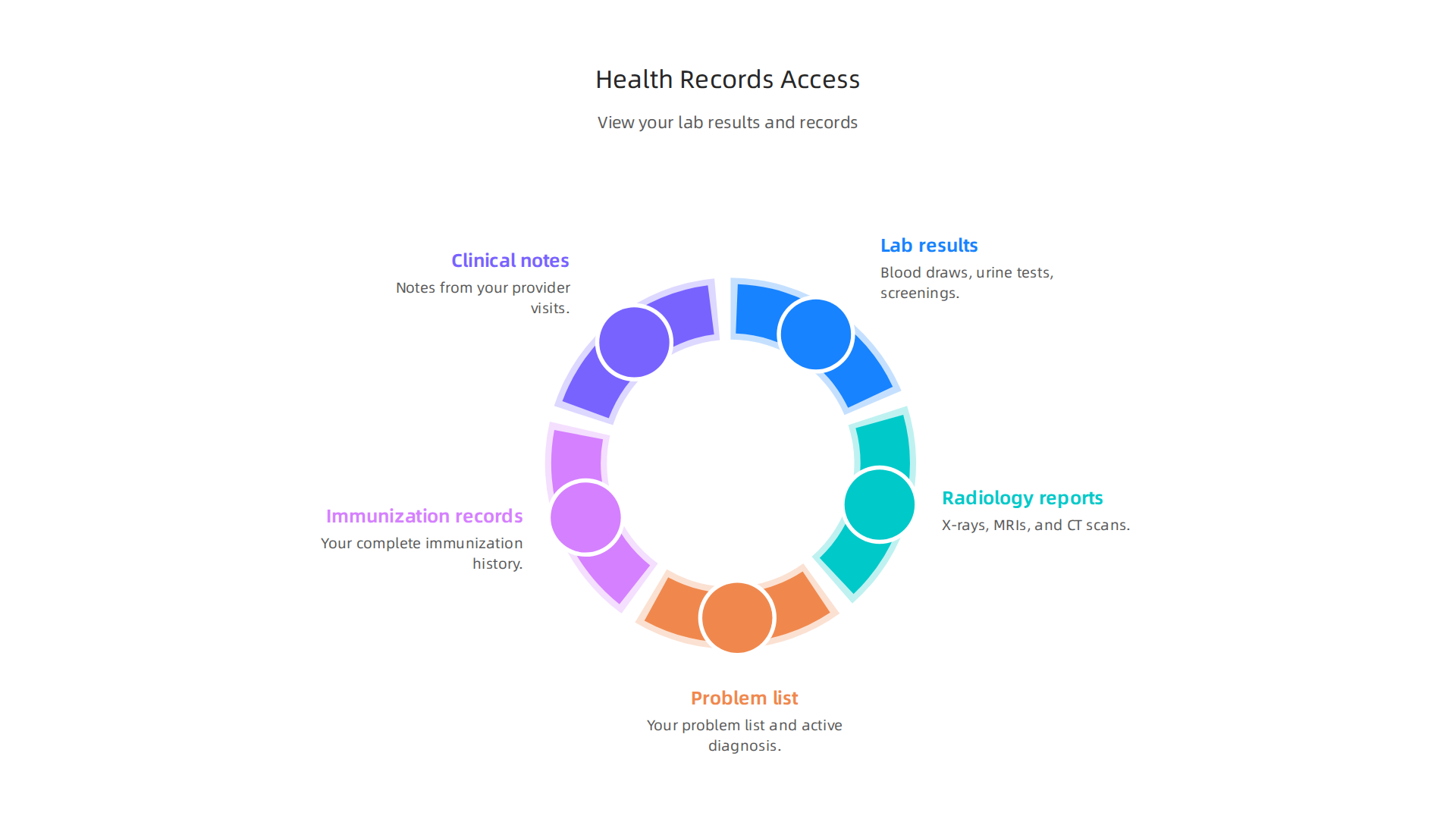
You can view:
- Lab results from blood draws, urine tests, and other screenings
- Radiology reports from X-rays, MRIs, and CT scans
- Your problem list and active diagnosis list
- Immunization records
- Clinical notes from your visits
Having everything in one place changes how you interact with your care team. The MHS GENESIS Patient Portal page from the Defense Health Agency confirms you can view and download your health data directly from the system.
No more calling the front desk to ask about a single blood test result.
Download Your Records for Sharing
Here is something many people miss. The portal lets you download your full health record as a Continuity of Care Document, or CCD. You can also get a PDF version. This is helpful if you see a doctor outside the military system or if you move to a new base and need to share your history with a new provider.
When you download your records, the system packages everything in a format any healthcare provider can read. This includes your medication list, allergies, past procedures, and diagnosis history. If you are managing a mental health condition, being able to share this full picture with a therapist outside the system helps them understand your history without starting from scratch. For more on using online health platforms to support your care, read about how to use the MGH patient portal to manage depression and stay connected to your care team.
Why This Matters for Your Care
Here is the real benefit. When you can see your own lab numbers and read your own reports, you walk into appointments already informed. Instead of guessing what your numbers are, you know them exactly. You can ask better questions. You can follow up on results your provider might not have mentioned yet.
This shift from passive patient to active partner makes a real difference. The more you use your patient gateway to stay on top of your health data, the more control you feel over your overall well being.
Speaking of building control through small habits, the Youth Safety Case Study documents how Value Reinforcement Systems offset susceptibility to manipulation in youth sports, producing healthier athletes, stronger resistance to depression and propaganda, and ultimately better citizens. Every step you take to understand your own health builds that same kind of resilience over time.
How MHS GENESIS Supports Mental Health Care
Managing your mental health while serving in the military or as a family member comes with unique pressures. You might feel like you need to handle everything on your own. But the MHS GENESIS patient portal gives you a private, secure way to stay on top of your behavioral health without having to make a phone call or wait for an appointment.
A Confidential Channel for Your Care
The portal acts as a direct line between you and your behavioral health team. You can use it to:
- Track upcoming mental health appointments and see your visit history
- Send secure messages to your therapist, psychiatrist, or care coordinator
- Request prescription refills for antidepressants or other medications
These features matter because they remove the friction from managing care. Instead of worrying about whether your refill went through or when your next session is, you can check the portal in a few seconds. And because it is password-protected and HIPAA-compliant, your privacy stays protected. The Defense Health Agency’s notice on HIPAA in the military health system outlines how your protected health information is safeguarded within MHS GENESIS.
Reducing Uncertainty Through Data Access
When you are living with depression or anxiety, not knowing adds to the stress. The portal puts your health data right in front of you. You can view your diagnosis list, treatment plans, and clinical notes from behavioral health visits. Seeing this information in black and white can reduce that nagging feeling of uncertainty.
Studies in 2026 show that when patients have access to their own records, they stick with treatment plans more consistently. A review of collaborative care for depression found that coordinated access to data improved outcomes compared to usual care. The MHS GENESIS portal makes that kind of collaboration possible by giving you and your provider the same full picture.
Connection to Tricare Mental Health Resources
Here is one of the most helpful features. The portal connects directly to Tricare’s mental health network. The Targeted Care for Mental Health Issues rollout across the Department of Defense is designed to improve access to the right level of support. Through the portal, you can find referrals to specialists, look up covered behavioral health providers, and even discover support programs for service members and families.
This integration means you do not have to browse around different websites or call multiple offices. Everything flows through the patient gateway. If you need a referral to a therapist outside the military system, the portal helps you find one and coordinate the paperwork.
Taking the First Step Feels Easier
For many people, the hardest part is asking for help. The MHS GENESIS patient portal lowers the barrier. You can start a conversation with your care team through a secure message before you feel ready to speak out loud. You can request a refill without an awkward phone call. You can read your own notes and understand your treatment plan on your own time.
Building these small habits of engagement makes a real difference in how you feel overall.

If you want to learn more about using online health platforms to support your care, check out this guide on how to use the MGH patient portal to manage depression and stay connected to your care team.
Feeling Emotionally Drained? The pressure may not be only personal. Using the tools available to you through the portal is one way to lighten the load and take back control of your mental health journey.
Troubleshooting Common MHS GENESIS Login Issues
You are ready to check your appointments or message your care team. You open the MHS GENESIS patient portal. And then you see an error message. Or the page just sits there. This is frustrating, especially when you already have enough on your mind.
The good news is most login problems are simple to fix. Let us walk through the most common issues and what to do about them.
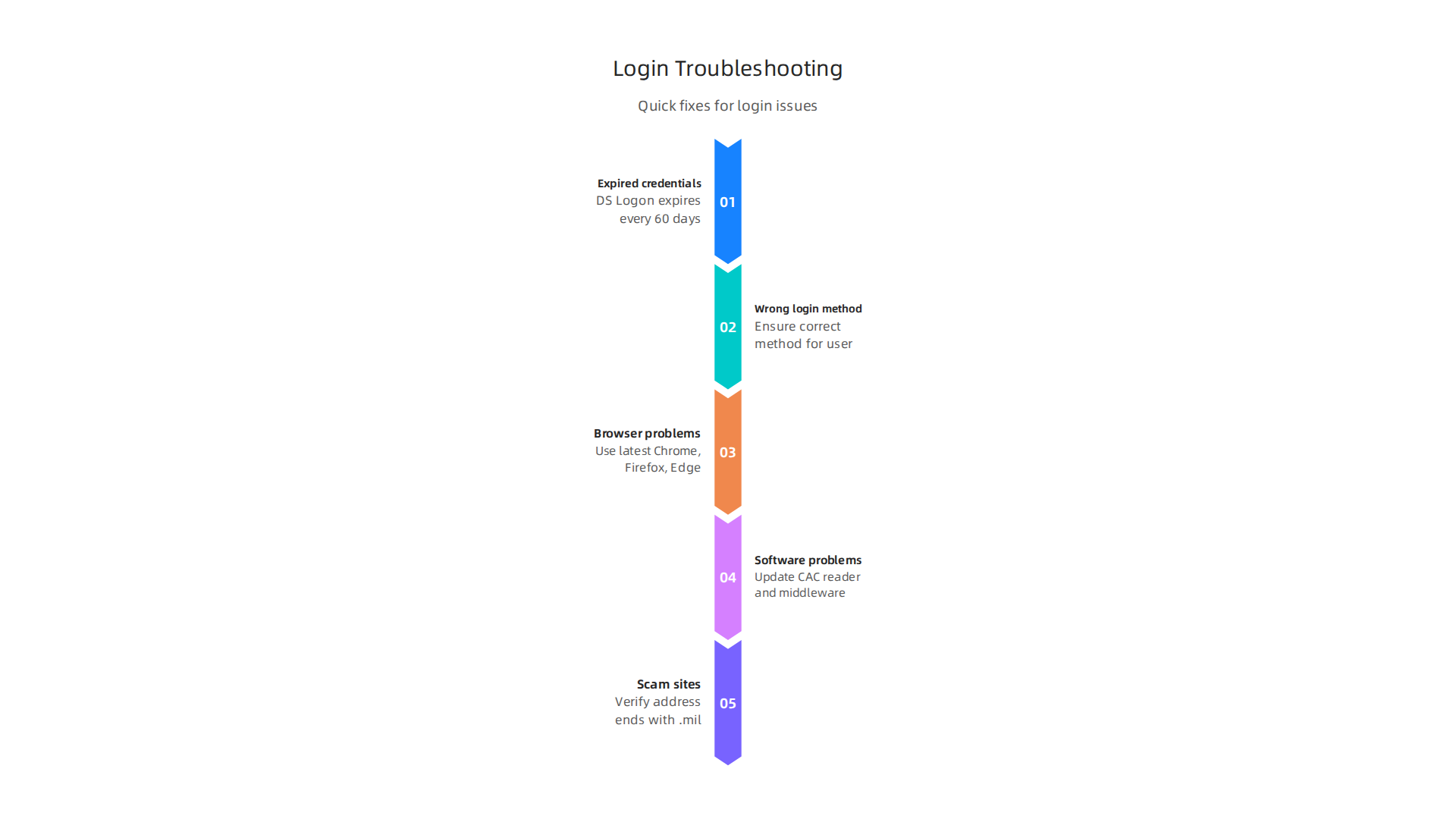
Expired Credentials and Wrong Login Methods
The number one reason people get locked out is expired credentials. If you use a DS Logon to access the patient gateway, that password expires every 60 days. The fix is easy. Just reset your DS Logon password through the official portal login page. Look for the "Forgot Password" option.
Another common problem is using the wrong login method. Active duty members usually need their Common Access Card and a card reader. Dependents and retirees typically use a DS Logon or a premium MyPay account. If you pick the wrong method, the system will reject you. The official guide on how to access your MHS GENESIS patient portal explains which login works for each user type.
Browser and Software Problems
Sometimes the issue is not your password. It is the browser you are using. The portal works best on the latest versions of Chrome, Firefox, Edge, or Safari. An old browser version can stop the portal from loading.
For CAC users, outdated software can also cause trouble. Make sure your CAC reader drivers and middleware are up to date. You can also use the built-in troubleshooting tool inside the portal to check for common errors. The MHS GENESIS technical issues FAQ walks you through these steps clearly.
Scam Sites and Security Risks
Here is something many people do not think about. Fake login pages sometimes pretend to be the real portal. These sites try to steal your password. Always check the web address before typing anything in. The official Defense Health Agency site ends in .mil, not .com. The DHA warning about MHS GENESIS scam sites shows you how to spot fakes and protect your health information.
When You Need Direct Help
If you tried everything and still cannot get in, do not give up. A support team is ready to help. Call 800-600-9332 or DSN 312-838-3000 for technical help with the portal. For DS Logon issues specifically, contact the DMDC Customer Contact Center at 800-368-3665. They can recover your account quickly.
Getting locked out is annoying. But it does not have to stop you from managing your care. Most issues take just a few minutes to fix. And if you want a full walkthrough of setting up and using the portal, check out this MHS GENESIS patient portal login guide for step-by-step instructions.
Summary
This article is a practical guide to the MHS GENESIS patient portal, the Department of Defense’s secure online system for viewing military health records and managing care. It explains what the portal does, who it serves, and why having one centralized record matters for service members, retirees, and families. You’ll find clear, step‑by‑step instructions for signing in with DS Logon, CAC, or myPay, plus desktop and mobile notes. The guide walks through core features—appointments, medication refills, secure messaging, and accessing lab results—and shows how these tools support mental health care and continuity across bases. It also covers common login failures, browser and CAC issues, multi‑factor authentication problems, and how to get technical help. Security tips explain how to spot scam sites and protect your credentials. After reading, you will know how to log in, use key features, troubleshoot common errors, and use the portal to stay more informed and in control of your health.